• Introduction
  • Configure basic settings
  • Dynamic Attributes Connector
  • Manage Secure Firewall ASA
  • Manage Secure Firewall Threat Defense with Cloud-Delivered Firewall Management Center
  • Manage Catalyst SD-WAN Manager Firewall Capabilities
  • Manage On-Premises Firewall Management Center
  • Manage Cisco Umbrella
  • Manage Cisco Meraki
  • Manage AWS VPC
  • Manage Cisco IOS
  • Manage Network Devices with Generic SSH Access
  • Establish Secure Connections
  • Device Operations
    • Manage device configuration
    • Manage onboarded device settings
      • Change a device's IP address in Security Cloud Control Firewall Management
      • Change a device's name in Security Cloud Control Firewall Management
      • Export a list of devices and services
      • Export device configuration
      • External links for devices
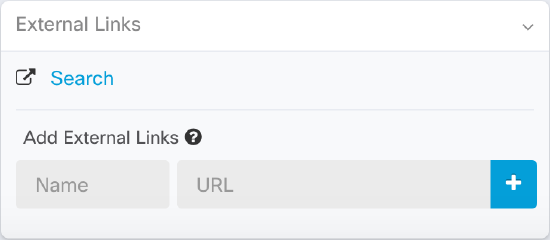
        • Create an external link from your device
        • Create an External Link to ASDM
        • Create an external link for multiple devices
        • Edit or delete external links
        • Edit or delete external links for multiple devices
      • Bulk reconnect devices to Security Cloud Control Firewall Management
      • Moving devices between organizations
      • Device certificate expiry detection
      • Update Meraki MX connection credentials
      • Write a device note
      • Delete a device from Security Cloud Control Firewall Management
      • Back up Firewall Threat Defense devices
      • Manage Firewall Threat Defense devices through Security Cloud Control Firewall Management
      • Filter security devices by hardware end-of-life status
      • Security Cloud Control Firewall Management labels and filtering
      • Use Security Cloud Control Firewall Management search functionality
      • Filter security devices by hardware end-of-life status
      • Security Cloud Control Firewall Management labels and filtering
      • Use Security Cloud Control Firewall Management search functionality
    • Use the Security Cloud Control Command Line Interface Tool (CLI)
    • Manage CLI Templates
    • Migrate Firewalls with the Migration Tool in Security Cloud Control
  • Monitor and Analyze
  • Troubleshoot
  • Appendix

External links for devices

An external link is a hyperlink feature that

  • creates connections to external resources and associates them with managed devices

  • enables convenient access to device local managers (Adaptive Security Device Manager (ASDM) for ASA), documentation, corporate wikis, or any chosen URL, and

  • allows multiple link associations with devices and the same link with multiple devices simultaneously.

External link properties

You can associate as many external links with a device as you want. You can also associate the same link with multiple devices at the same time.
The diagram illustrates the concept of external link associations with devices, showing how multiple links can be connected to a single device and the same link can be shared among multiple devices.

The links you create can reach anywhere, but your company's security requirements do not change. For example, if you ordinarily need to be connected to your corporate network, by being on-premises or through a VPN connection to reach a particular URL, those requirements remain. If your company blocks specific URLs, those URLs continue to be blocked. URLs that are not restricted continue to not be restricted.

The {location} variable can be incorporated in your URLs. This variable will be populated with the IP address of your device. For example:

https://{location}

should reach the ASDM for your ASA.

  • Create an external link from your device
  • Create an External Link to ASDM
  • Create an external link for multiple devices
  • Edit or delete external links
  • Edit or delete external links for multiple devices
Copyright © 2026, Cisco Systems, Inc. All rights reserved.