Remove an On-Premises Firewall Management Center from Security Cloud Control
Before you begin
-
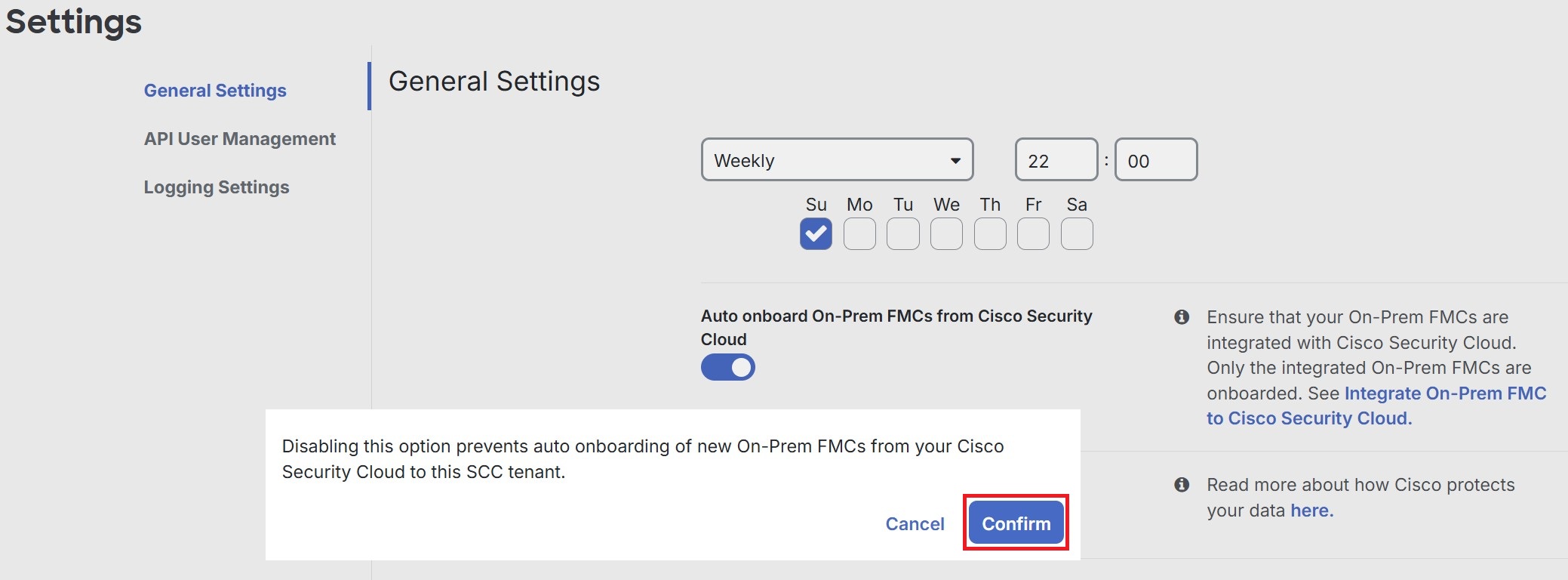
Choose .
In the Tenant Settings section, disable Auto onboard On-Prem FMCs integrated to Cisco Security Cloud.
Procedure
Step 1 | Choose . |
Step 2 | Click the FMC tab. |
Step 3 | Choose the On-Premises Firewall Management Center you want to remove. |
Step 4 | In the Device Actions pane, click Remove On-Prem FMC and its managed devices. 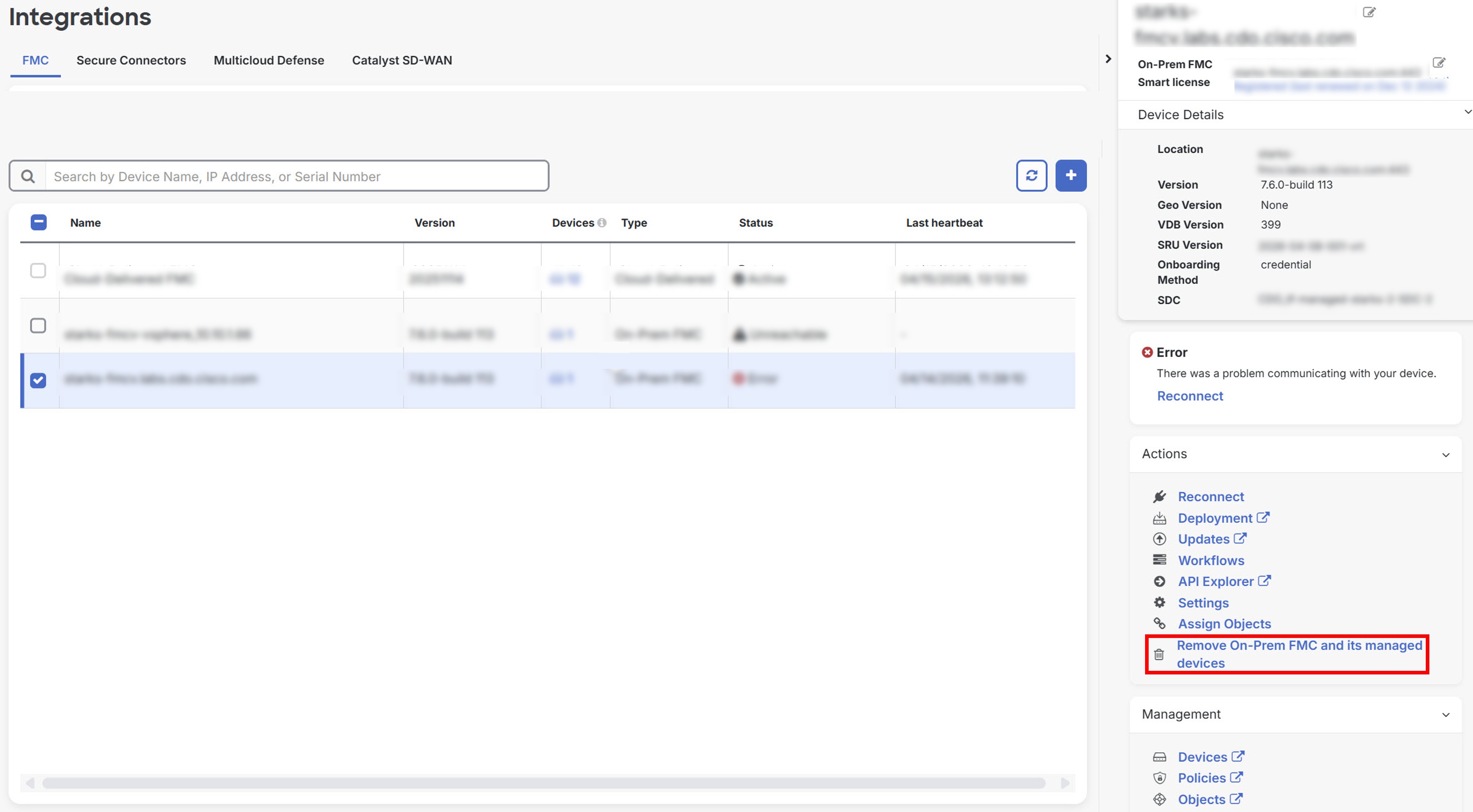 |
Step 5 | Click OK to confirm that you want to remove On-Premises Firewall Management Center and its managed devices from your tenant. |
Step 6 | Refresh your browser to see an updated list of devices. |